

 Video Game Blog
April 21, 2019
I started on the Game Editor. If anyone had wondered why I had chose to work on the map projection code first at the beginning of the project, now they can see how important having the map up was. With the knowledge that the map is showing accurate data, then we know that when we assign data, it will be not the 'garbage' in 'garbage' out problem.
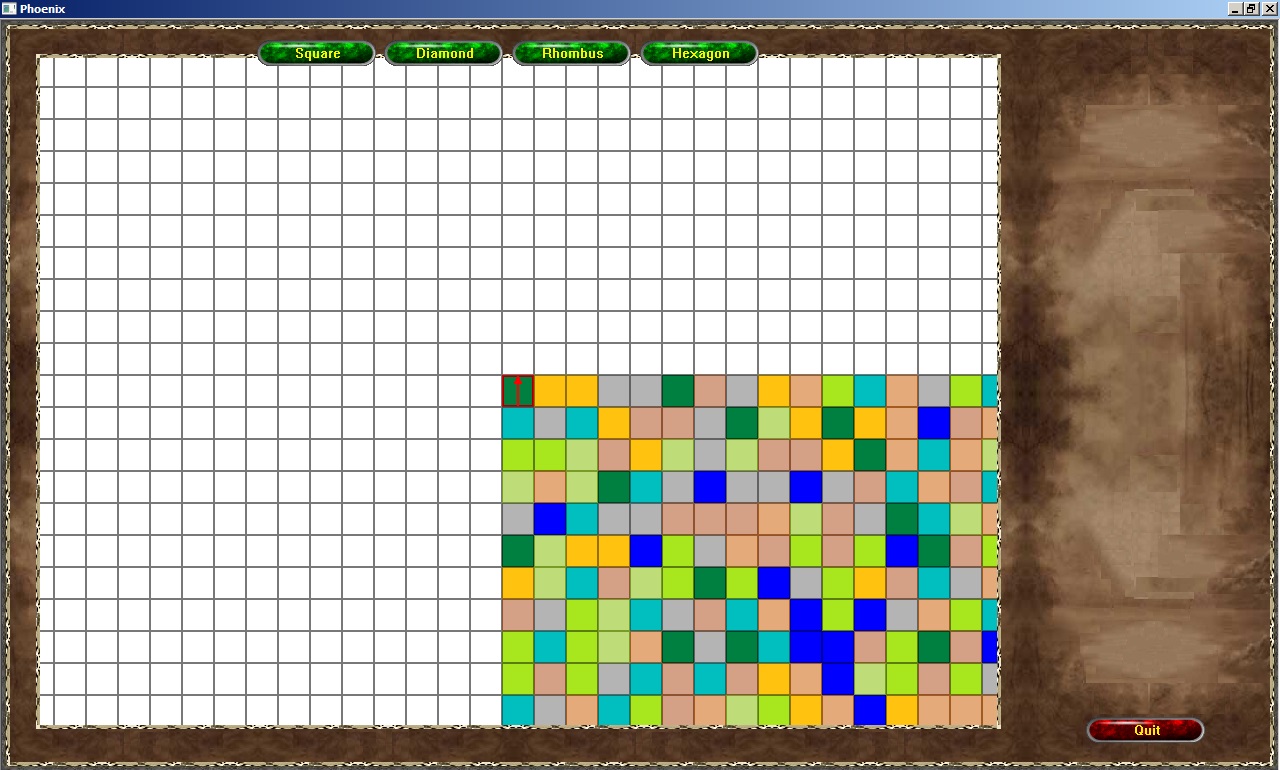
You can see in the screen shot that there are four buttons along the top of the screen - appropriately labeled for what purpose they serve. These will allow the person editing a scenario to flip easily between the different map types.
The previous editor I had made before was a simpler version where the User declared how many 'rooms' they wanted, typed the description into an Edit Box, and then clicked on Monsters icons and typed a number to determine how many of those were in the room.
This version though...will require multiple maps depending upon how 'far reaching' the scenario is meant to go. For instance, someone might use the Hex Map to make the 'World' map for the Actors to travel over, then once at a local, the game would have to switch to one of the other map types.
The challenge with having so many maps available is graphics. To maintain any continuity there would have to be a set of graphics for each map type. And because the game scales to monitor sizes, graphics dimensions have to be taken into consideration.
